Some months ago I vibe-coded a browser-based Unreal Engine asset viewer and forgot to publish or mention it anywhere. I thought it was pretty interesting to see how the bytes are actually laid out on the file.
You can try it out here. It contains some sample assets as well so you don’t need any .uasset ready on your end.
Here is what it looks like:
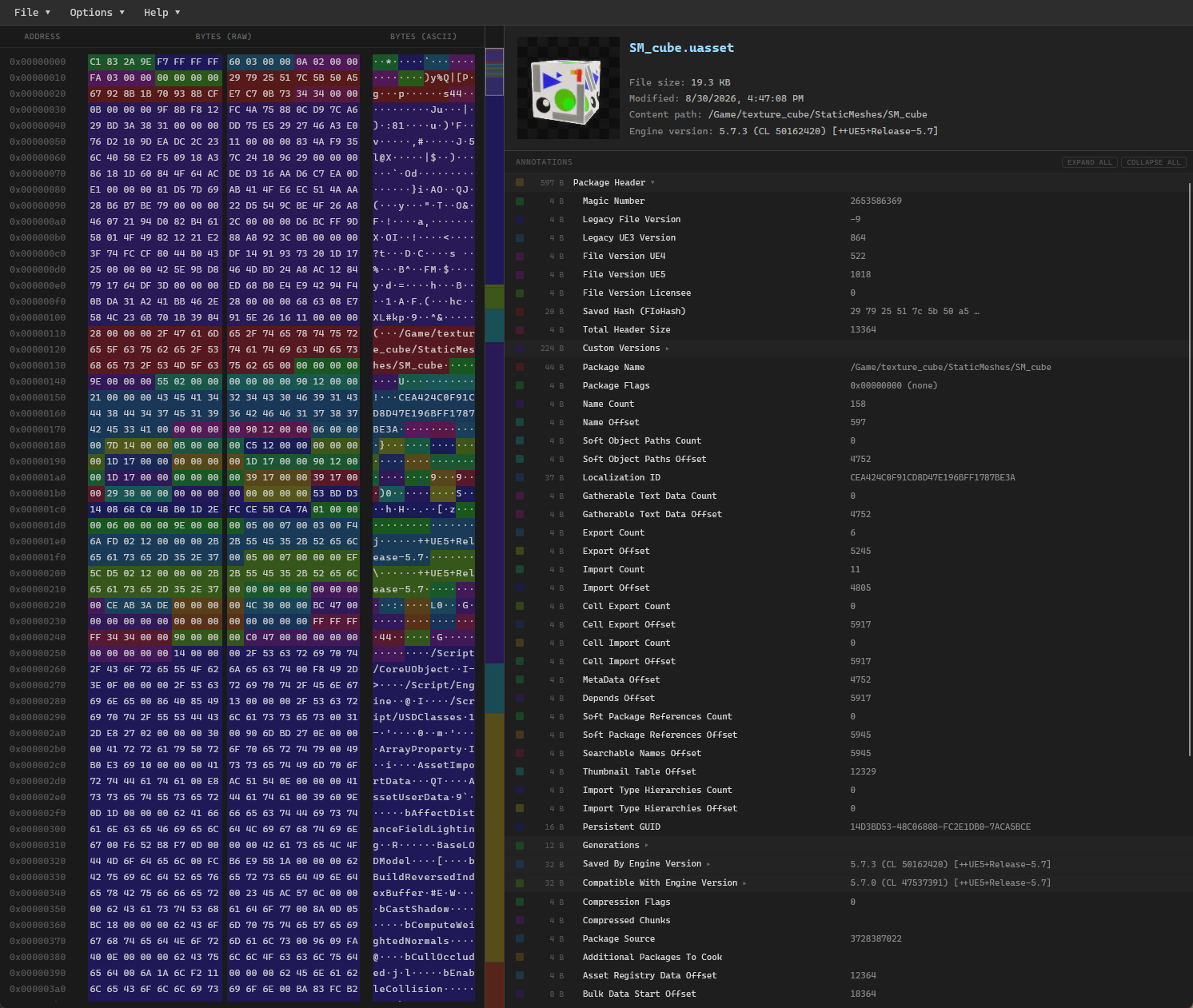
It parses .uasset and .umap files, shows you the raw bytes, parses values and describes what the fields mean.
It’s purely client-side: The file never leaves your machine and nothing is uploaded anywhere.
It should work for most UE 5.x assets and some 4.x assets, with some luck!
Features
- Hex viewer: Every byte of the file, with color-coded ranges marking what each region actually is. Canvas-based with virtual scrolling, so large assets stay smooth.
- Annotations panel: A collapsible tree of named byte ranges, each with its size, name, and parsed value. This is the part that replaces the manual byte-counting.
- Summary panel: Asset class, engine version, package path, and the embedded thumbnail if the asset has one.
- Minimap: A proportional overview of the whole file with a viewport indicator, which turns out to be a surprisingly good way to get a feel for how an asset is laid out.
- Search: By hex bytes, ASCII text, byte address, or annotation name (
Ctrl+F/Ctrl+G). - Context menus: Copy the address, the raw bytes, or the ASCII text of any annotated region, and scroll the other views to match where you clicked
Limitations
- Properties: It should display some types of serialized property values but not all, and also won’t handle nested structs super well.
It’s open source and hosted on Github here.
Cheers!